

How to Download and Use a Forex Economic Calendar
📊 Learn how to download and set up a forex economic calendar on your device, track key economic events shaping currency markets, and make smarter trades in real time.
Edited By
Edward Clarke
Starting with a forex trading demo account is a smart move if you want to get a feel for currency trading without risking your cash. In essence, a demo account mimics the real forex market but uses virtual money, allowing you to learn the ropes and test strategies in a pressure-free environment.
South African traders benefit particularly from demo accounts since currency markets react differently amid local factors like the rand’s volatility and economic announcements from SARB (South African Reserve Bank). By practising on a demo, you save yourself from costly beginner mistakes and can adapt to fast-moving price changes.
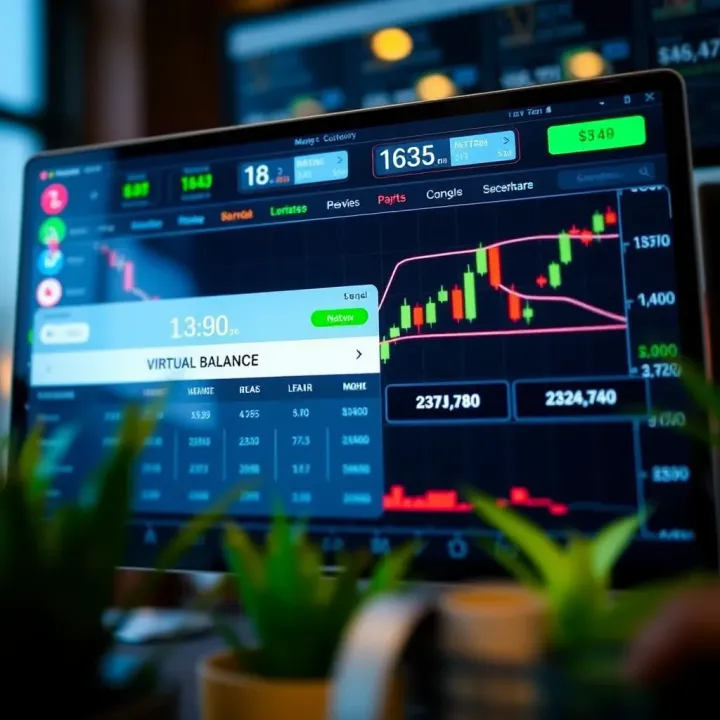
To get going, all you need is a suitable forex broker that offers a demo account option. Popular brokers with a strong reputation among South African users include IG, Plus500, and AvaTrade — all regulated to protect traders. Usually, downloading the demo platform involves these simple steps:
Choose a broker: Select one that matches your trading style and has competitive spreads.
Download the trading platform: Platforms like MetaTrader 4 (MT4) or MetaTrader 5 (MT5) are commonly offered. They’re light on system resources and rich in features.
Register for a demo: Typically, you only need to submit your email address and phone number.
Log into your demo account: Use the credentials emailed to you or created during sign-up.
Remember, your demo environment uses simulated data closely tracking live market prices. This helps you understand how orders execute under different market conditions.
Once you’re logged in, you can explore essential features such as:
Real-time quotes
Charting tools for technical analysis
Order types including market, limit, and stop orders
Risk management settings like stop-loss and take-profit
Practising with these tools on a demo account builds your confidence before you move on to trading with real Rand. In South Africa, where market shifts can be abrupt during events like SARB rate decisions or geopolitical developments, having this practice space is invaluable.
Keep your demo account open as long as you need to sharpen your skills — every trader learns differently. Once comfortable, transitioning to a funded account will let you apply what you’ve tried out in a live environment without flying blind.
Getting a solid grasp on forex demo accounts is key for anyone stepping into currency trading. A demo account acts like a training ground, letting you try out the markets without risking real money. For South Africans, this means you can practise during Eskom’s loadshedding hours without stressing about losing cash because it’s all virtual.
A forex demo account is a practice trading account provided by brokers that simulates real currency trading. It gives you zero-risk access to live market prices using virtual funds, often totalling around $10,000 or an equivalent. This setup helps you familiarise yourself with trading platforms like MetaTrader 4 or 5—the two most common in South Africa—and how to place orders, set stop-losses, and monitor your trades.
Think of it as a dry run before the main event; here, you can fail, learn, and tweak strategies without a financial dent. For example, if you want to try trading the Rand against the US Dollar (ZAR/USD), you can do so freely, watching how volatile the pair is without worrying about your wallet.
Using a demo account saves you from the rookie mistakes that often cost beginners real money. It’s one thing to read about forex concepts and another to see how spreads widen or how rapid price changes can wipe out a trade within seconds.
With a demo account, you can:
Test different trading strategies to see what sticks without pressure
Get comfortable with the broker’s platform, avoiding fumbling during live trades
Understand market orders and how leverage works, which can be tricky at first
Moreover, taking time on a demo account can build your confidence — no small thing when live markets don't wait for second guesses. This way, when you finally put real Rand into play, you act with discipline rather than panic.
Starting with a forex demo account is like learning to drive in an empty parking lot before hitting the busy highways. It’s safer, smarter, and the best way to put theory into practice.
In short, demo accounts are the foundation for honing your trading skills and preparing for the real market conditions you’ll face. For South Africans dealing with specific market hours, broker options, and economic factors, demos provide a valuable head start.
Choosing the right forex broker is your first step toward successful trading with a demo account. Not all brokers offer the same experience, so picking one that fits your trading style and goals matters a lot. The demo account acts as your playground, a risk-free space to learn and understand how currency markets tick, but if the platform is clunky or the broker’s conditions differ wildly from live trading, you’ll run into trouble when switching for real.

Start with licence and regulation. In South Africa, brokers regulated by the Financial Sector Conduct Authority (FSCA) offer more protection and transparency. This also tends to mean tighter spreads and proper handling of your data under POPIA (Protection of Personal Information Act).
Then, take a good look at the trading platform compatibility. Whether you prefer MetaTrader 4, MetaTrader 5, cTrader, or a proprietary platform, the demo should mirror the live platform's features closely. Imagine practising on a platform that doesn’t support the indicators or chart setups you want; it’s like training downhill but racing uphill.
Costs and fees in demo accounts generally aren’t visible, but you should check what the broker charges in a live setting for spreads, commissions, and overnight swaps. A broker offering ultra-low spreads but with hidden fees will throw you off once you transition from demo to live.
Customer support counts too. Even while practising, having responsive support—be it via phone, email, or live chat—makes a difference when you hit technical snags or need guidance. Many South Africans prefer brokers that offer support during local business hours.
Lastly, check deposit and withdrawal options. Some brokers restrict withdrawals when you open a live account, or have huge minimum deposits. The demo might be free, but you want a smooth transition without surprises on funding.
Several brokers have earned trust among South African traders for their demo accounts. For example, IG Markets offers a well-regarded demo platform with access to 17,000 markets including forex and commodities. Their interface is intuitive and localised.
HotForex is another popular choice, with a demo account that mimics live trading closely and supports MetaTrader platforms. Many beginners appreciate their educational resources alongside the demo.
ThinkMarkets provides a simple setup and localised customer support. The demo lets you practise with virtual funds and access real market data, giving you a genuine feel without risking cash.
Even newer entrants like EasyEquities – better known for stocks – offer rolling demo account options for forex trading, making it easier for South Africans already familiar with their ecosystem.
Choosing a demo account with a broker that fits your trading needs and offers reliable tech will build your confidence and reduce headaches when you step into live trading.
By carefully weighing these criteria and trying demo accounts from a few brokers, you can find the platform that best suits your strategy and learning style. This preparation lays a solid foundation for your trading journey, especially in our local context with its unique challenges like loadshedding affecting connectivity.
Downloading and setting up a forex demo account is the first step for anyone serious about learning how to trade currencies without risking real cash. It lets you get comfortable with the trading platform, learn to place orders, and test strategies in a risk-free environment. This section walks you through the entire process, making sure you're ready to navigate your broker’s platform confidently.
Start by visiting your chosen forex broker’s website. Most brokers offer a clear button labelled something like “Open Demo Account” or “Download Demo.” Clicking this takes you to a registration form where you’ll provide basic details such as your name, email address, and sometimes phone number. For example, popular brokers in South Africa like IG or Plus500 keep this straightforward, requiring minimal information to get started.
After registration, you will usually receive a download link for the trading platform—commonly MetaTrader 4 or MetaTrader 5, which are standard in South African trading circles. Download the software compatible with your device, whether PC, Mac, or mobile. Make sure your internet connection is stable during download to avoid corrupted files.
Once downloaded, run the installation file and follow the on-screen instructions. This usually involves selecting an installation folder, agreeing to terms, and waiting a few minutes for the setup to complete. Once installed, launch the platform.
The first time you open your demo account platform, the interface might feel overwhelming. Here’s a quick rundown:
Market Watch: Displays currency pairs available for trading along with live bid and ask prices.
Chart Window: Shows real-time price movements for your selected currency pair. You can customise charts to show candlesticks, bars, or lines.
Navigator: Lists your accounts, indicators, expert advisors, and scripts.
Order Window: Where you can enter trades, setting buy/sell decisions, volume, stop-loss, and take-profit levels.
Spend some time clicking through these sections to get a feel for the platform. For instance, changing timeframes on charts or adding technical indicators like moving averages helps you analyse price trends.
Before you start trading, set your initial parameters. Most demo accounts provide virtual funds, commonly R100,000 or equivalent, to practise with. Check your account balance displayed on the platform’s terminal window.
Next, configure your leverage carefully. In South Africa, brokers typically offer up to 1:100 leverage for demo accounts, though new traders should start lower to understand its impact. Pick currency pairs familiar to you, like USD/ZAR, to see how your trades might behave with local market factors.
Set risk management tools like stop-loss orders at levels you’re comfortable with to mimic real trading discipline. These parameters help prepare you for live trading where real money is on the line.
Remember, the goal of setting up your forex demo account properly is to build practical skills and confidence. Treat your demo trades as though they were real to develop good habits early on.
With your demo account downloaded, installed, and tailored, you’re ready to explore trading without the stress of financial loss. Taking time here pays off when you move to live trading.
Using a forex demo account effectively means more than just clicking around a platform. It’s about practising actively to build skills that translate well once real money is on the line. South African traders can especially benefit by treating their demo account as a training ground, getting to grips with market behaviour, and testing strategies in a stress-free environment.
A demo account is ideal for trying out various trading approaches without risking your Rand. For example, you might want to test scalping techniques that involve making quick trades during market volatility, or longer-term swing trading where positions are held for several days. Practise identifying entry and exit points, see how stop-loss and take-profit orders affect outcomes, and adjust your approach accordingly. Try simulating news-driven trades, especially around events like SARB announcements or US Federal Reserve decisions, to observe how currency pairs react.
By repeatedly testing different setups, you’ll discover what suits your temperament and trading style. Don’t limit yourself to one or two trades—make it a point to explore diverse scenarios to build confidence.
Keeping a trading journal during your demo sessions can be a game changer. Record every trade’s rationale, outcome, and emotional reaction. For instance, if you let a losing position run too long or closed a winning trade prematurely, note it down. This habit helps pinpoint recurring mistakes and clarifies performance patterns.
Review your journal weekly to observe trends and refine your decision-making process. This practice equips you with self-awareness that’s crucial for real trading, where emotions can easily cloud judgment.
"Effective tracking transforms demo trading from a guessing game to a structured learning process."
Closing the gap between demo and live trading starts with simulating real conditions. Limit your demo trading frequency and mimic risk management rules you plan to follow with actual capital. Begin by trading with smaller position sizes in the demo account, as you would when starting live.
Also, factor in the emotional pressure absent in demo accounts. When you’re ready, begin live trading cautiously and increase exposure gradually. Place emphasis on understanding brokerage spreads, slippage, and execution delays, which might feel negligible in a demo but can impact live trades, especially in volatile markets.
By preparing thoughtfully, you reduce the shock and improve your chances of smooth transition into live forex trading.
Maximising your demo account experience means using it as a proper practice tool—not just a playground. Approach it methodically, track your progress, and get ready to trade for real with greater skill and confidence.
Using a forex demo account is an excellent way to learn how the market works without risking real cash. Still, it’s important to understand the common pitfalls that can come with demo trading, so you don’t get caught out when going live.
A major difference between demo and live accounts is the emotional pressure. With virtual money, you don’t face the same stress or fear that comes with risking your own hard-earned rand. This can cause you to act differently than you would in real trading. For example, you might take bigger risks or neglect proper money management because losses don’t affect you. Also, demo accounts don’t always reflect real market conditions perfectly. Slippage, sudden robot interruptions, or liquidity issues during active trading hours are often not simulated closely by brokers in demo mode.
Downloading or running a forex demo account isn’t always straightforward. You might run into problems like slow installation, incompatibility with your device or operating system, or glitches inside the trading platform itself. For example, a demo platform might freeze during a trade or disconnect frequently if your internet connection is unstable. To avoid such issues, make sure your computer or mobile device meets the minimum requirements. Keep your software updated and prefer well-known platforms like MetaTrader 4 or 5, cTrader, or broker-specific platforms that have solid reputations in South Africa.
Some traders get an inflated sense of skill after winning big on a demo account. This overconfidence can lead to poor decisions when real money is involved. Remember, a demo account doesn’t teach you how you’ll deal emotionally with actual losses or unexpected market moves. An example of this is jumping into larger trades too soon or ignoring stop-loss orders just because you saw success in practice. Stay grounded by setting realistic goals and treating demo trading as a training ground, not a crystal ball for guaranteed profits.
In short, be mindful of the demo account’s limits, prepare for technical hiccups, and keep emotions in check to make your practice truly count before trading live.
These insights help you avoid common mistakes, making the step from demo to live forex trading safer and more confident.
📊 Learn how to download and set up a forex economic calendar on your device, track key economic events shaping currency markets, and make smarter trades in real time.
Learn how to download and use a free forex demo account 📈. Get tips on choosing a platform, installation, practice strategies, and building trading confidence.

Explore how to download and use forex trading systems safely in South Africa 🇿🇦. Learn to pick, install, and evaluate tools while managing risks effectively.
Explore free forex trading simulators 🌍! Learn how to download, use effectively, and understand key features for confident trading practice 📈💡.
Based on 9 reviews