
Choosing the Best Forex Trading App in South Africa
📈 Find the ideal forex trading app for South Africa! Compare features, costs, and security to match your trading needs with ease and confidence.
Edited By
Henry Lawson
For South Africans wanting to get into forex trading, choosing and using the right trading app is a vital first step. With many options available—but not all tailored for local needs—it helps to understand what to look out for before downloading any app.
Forex trading apps give you access to currency markets right from your phone or tablet. They allow you to monitor real-time exchange rates, execute trades, and manage your accounts without needing bulky software. Plus, you can react quickly to market moves, which can be crucial when dealing with volatile currency pairs.
When picking an app, focus on security, ease of use, and how well it supports Rand trading specifically.
Regulatory compliance: In South Africa, a forex broker or platform should be regulated by the Financial Sector Conduct Authority (FSCA). This helps protect you against fraud or unfair practices.
Local currency support: Make sure the app lets you trade directly with South African Rand (ZAR). This avoids unnecessary currency conversion fees.
User interface: Trading apps vary from very simple to highly complex. Pick one that matches your experience level; beginners need straightforward navigation without clutter.
Fees and spreads: Check the costs of trading on the platform. Lower spreads and transparent fees usually mean better value.
Downloading a forex app is usually straightforward through the Google Play Store or Apple App Store. After installation, you’ll typically need to:
Create an account with the broker linked to the app.
Complete identity verification per the Financial Intelligence Centre Act (FICA). This involves submitting scanned IDs and proof of address.
Deposit funds, often via EFT or card payments.
Apps that offer two-factor authentication (2FA) add an extra layer of security, so enable it where available. Avoid public Wi-Fi networks when trading. Also, watch out for phishing scams or suspicious links, especially in emails claiming to be from your broker.
By paying attention to these points from the outset, you’ll be better placed to have a smoother, safer start with forex trading apps suited for South African users.
Picking the right forex trading app matters a lot, especially if you're trading from South Africa. With options flooding app stores, selecting a platform that fits your unique needs can make the difference between a smooth, profitable experience and needless frustration or even losses. A well-chosen app not only supports your trading style but also handles local realities like deposits in Rands, compliance with South African financial rules, and reliable customer service.
First things first: figure out what you want to achieve with forex trading. Are you a beginner looking to learn and test strategies with demo accounts? Or perhaps you’re an experienced trader focused on quick executions and advanced technical tools? Your goals—whether long-term investing or short-term speculation—shape which app suits you best. For example, a novice might favour an app with clear tutorials and simple navigation, while a seasoned trader would value low spreads and speedy order execution. Knowing this upfront helps to narrow your app choices.
Look for features that support your trading approach while safeguarding your investments. Essential ones include:
Real-time price feeds and charts with various timeframes
User-friendly interface that works well on both Android and iOS mobiles
Risk management tools like stop-loss and take-profit orders
Multiple order types and fast execution to respond quickly to market moves
Educational content or integrated news feeds relevant to global and South African markets
For instance, many South African traders benefit from apps offering comprehensive charting tools and access to currency pairs actively traded in Mzansi, like USD/ZAR.
A forex app tailored for South Africans should offer deposits and withdrawals in rand and support payment methods popular locally, such as EFTs to and from major banks (FNB, Standard Bank, Absa), and perhaps even SnapScan or Zapper for convenience. Also, local customer support during your trading hours is vital—waiting endlessly for a reply just when market conditions change can cost dearly. Check if the app provider is regulated by the South African Financial Sector Conduct Authority (FSCA) or at least compliant with Financial Intelligence Centre Act (FICA) and Protection of Personal Information Act (POPIA) requirements. This ensures your money and data have some level of protection.
Choosing an app that fits your trading goals and respects local conditions isn’t just a nice-to-have—it’s the foundation for successful trading.
By taking the time to assess your needs, exploring feature sets thoughtfully, and confirming local compatibility, you stand a much better chance of making solid trading moves without surprises. Start here, and the rest will be easier.
Starting with a clear procedure to download and set up your forex trading app is essential. It ensures you avoid pitfalls that could lead to confusion, wasted time, or, worse, security risks. Especially in South Africa, where exchanging currency and complying with local regulations matters, a stepwise approach makes everything more manageable.
The first step is locating a trustworthy forex trading app. Both the Google Play Store and Apple App Store have numerous options, but not all meet quality or security standards. Look for apps with good reviews from South African users, especially those mentioning local support or payment methods. For instance, apps like IG, Plus500, and FXTM are popular here and show consistent updates and customer feedback.
Beware of apps with very few downloads or poor ratings. Check whether the app is officially registered or regulated by South African bodies such as the Financial Sector Conduct Authority (FSCA). This protects you from shady or offshore apps that might not follow local rules.
Once you've chosen the right app, download and install it. Make sure you have a steady internet connection to avoid interruptions. After installation, the next important phase is account registration. You’ll typically provide basics like your full name, email, and cellphone number.
Some apps let you start with a demo account, which is handy to test the platform without risking real money. When you’re ready, proceed to register a live account. South African users must set their accounts to ZAR to avoid currency conversion surprises.
Verification is a non-negotiable step to comply with South African laws like the Financial Intelligence Centre Act (FICA). Expect to upload a copy of your ID or passport and proof of residence, such as a utility bill, to complete KYC (Know Your Customer) requirements.
Linking payment methods is next. Many apps accept bank transfers, credit/debit cards, and sometimes e-wallets popular in SA, like PayFast. Linking your bank account or card correctly means smoother deposits and withdrawals without unnecessary delays or fees.
Always confirm the security of payment pages and avoid linking your cards through suspicious links or emails.
In summary, taking each step slowly—from picking the right app, installing it confidently, registering carefully, to verifying and linking your payment methods—helps set you up for safer and more efficient forex trading in South Africa.
Security and compliance are non-negotiable when it comes to forex trading apps, especially in South Africa where the regulatory environment is evolving rapidly. These apps handle sensitive personal and financial data, so understanding how they protect this information is crucial for any trader. Alongside safeguarding your details, staying compliant with local laws not only ensures legal trading but also shields you from scams and fraudulent platforms.
Your personal details and banking information are the keys to your forex trading account, and keeping them safe must be a top priority. Most reputable apps use encryption, similar to online banking, which scrambles data between you and their servers. For example, look for apps that use two-factor authentication (2FA) to add an extra layer of security beyond your password. Imagine logging into your account from your phone and receiving a one-time code via SMS or authenticator app — that’s 2FA in action.
Additionally, check how the app manages your payment methods. South African traders benefit when apps support local payment gateways like EFTs through major banks (FNB, Standard Bank, Absa) or even SnapScan and Zapper. These platforms generally have strong security measures themselves, reducing risks during deposits and withdrawals.
Forex trading in South Africa is subject to rules set by the Financial Sector Conduct Authority (FSCA). This regulatory body oversees forex brokers and ensures they operate fairly and transparently. When choosing a forex app, confirm that the provider is registered with the FSCA. This registration implies the broker follows strict requirements including capital adequacy, reporting standards, and protection of client funds.
For example, if you use an app linked to an unregistered broker, you might not be able to recover your funds in case things go south. That is a big risk to avoid. The FSCA website lists authorised entities, and experienced traders often check this before depositing large sums.
Forex trading attracts scammers who exploit uninformed users with fake apps or misleading offers. Watch out for apps promising guaranteed profits or unrealistic returns — these are classic red flags. Also, be wary of apps requesting excessive personal info upfront or pushing urgent deposits.
Always download trading apps directly from official stores like Google Play or Apple App Store. Cross-check the app’s developer, ratings, and reviews. For instance, a well-known broker like IG or FXTM would have official apps linked to their websites, while unknown app developers with few or no reviews merit suspicion.
Stay alert: fraudulent apps often show poor customer support or no FSCA registration. If something feels off, take a step back and verify before you risk your money.
By understanding these security and compliance aspects, South African forex traders can protect their investments, trade legally, and avoid falling prey to scams. It’s not just about picking the right app; it’s about trusting the entire platform behind it.
Knowing the main features and tools inside a forex trading app is vital before you start trading seriously. These help you make informed decisions on the rand-dollar or euro-rand pairs, manage your trades efficiently, and keep up with market movements from wherever you are in South Africa.
Access to real-time data is the backbone of any forex trading app. The markets don't pause, and neither should your information. Good apps provide live forex rates and detailed charts that update instantly to reflect the latest changes. For example, using MT4’s charting tools, you can view various time frames and overlay indicators like moving averages or RSI to spot trends early. This way, you’re not just guessing but backing your trades with solid data. It’s worth mentioning that laggy or delayed data can cost you dearly, especially in volatile periods influenced by global events or rand fluctuations.
Understanding how to place orders and manage them properly is essential for protecting and growing your investment. Most apps offer different order types such as market orders, limit orders, and stop-loss orders. Imagine you’re trading ZAR/USD and expect the rand to strengthen; setting a limit order means the trade executes only when your target price is hit, sparing you from unnecessary losses. Once trades are live, apps let you monitor positions, close or adjust them on the fly, even when moving around town or chilling at a lapa. This flexibility is important in a market that moves fast.
Staying updated isn’t just about charts—it’s about the bigger picture too. Many apps send price alerts or push notifications, helping you react quickly when currency pairs hit your set levels. Besides, built-in news feeds draw directly from sources like Bloomberg or Reuters, so you get instant updates on economic data releases or political shifts affecting forex markets. For those newer to trading or wanting to sharpen skills, some apps offer tutorials and webinars tailored for South African traders, which can be a big help when figuring out how to navigate local tax implications or B-BBEE impact on business forex.
Familiarising yourself with these tools puts you in control rather than being caught off guard by forex swings or app complexities. It’s about trading smarter and with confidence, wherever you are.
Getting to grips with these features equips you to make the most of your forex trading experience, crucial in a fast-moving, sometimes unpredictable market like ours.
Trading forex on your mobile has opened new doors for South Africans eager to engage in currency markets anytime, anywhere. But mobile trading comes with unique challenges, so it's smart to approach it with care. Here are practical tips to help you trade safely and successfully while using your smartphone.
If you are just stepping into forex trading, starting small is key. Many apps offer demo accounts where you can practise without risking real Rands. This is like a flight simulator for pilots: you learn the ropes without danger. For example, using a demo on platforms like MetaTrader 4 or ThinkMarkets helps you understand order types and market behaviour before going live. Once comfortable, consider opening a live account with a small deposit, say R500 to R1,000, to test your strategy in real conditions without overstretching your budget.
Forex markets fluctuate wildly, especially with major events like SARB interest rate decisions or US economic reports. It’s vital to keep an eye on these developments since currency values can swing quickly. Mobile apps usually come with live price alerts—set these to notify you of significant moves. For instance, during times of Eskom load shedding uncertainty, the South African Rand (ZAR) might weaken; recognising such patterns allows you to make timely decisions. Use economic calendars integrated in your app or check reputable South African financial news sites to stay ahead.
Risk management determines long-term success. To protect your capital, always set stop-loss orders which close your trade if the price moves against you beyond a set limit. For example, if trading USD/ZAR, you might set a stop loss at 1% below your entry price to cap potential losses. Besides stop losses, avoid overtrading or putting too much of your capital in one trade. Many seasoned traders recommend risking no more than 2% of your capital per trade. Mobile apps generally allow you to manage these risk parameters directly from your smartphone, making it easier to stay disciplined.
Trading forex on mobile apps offers flexibility, but success depends on cautious, informed decisions. Start small, keep track of market changes, and protect your money with solid risk controls.
By sticking to these tips, you can navigate the twists and turns of forex trading with greater confidence and reduce the chances of costly mistakes.
📈 Find the ideal forex trading app for South Africa! Compare features, costs, and security to match your trading needs with ease and confidence.
📊 Explore key fundamental forex trading concepts tailored for South African traders: economic indicators, global events, and smart strategy tips for stronger currency moves.
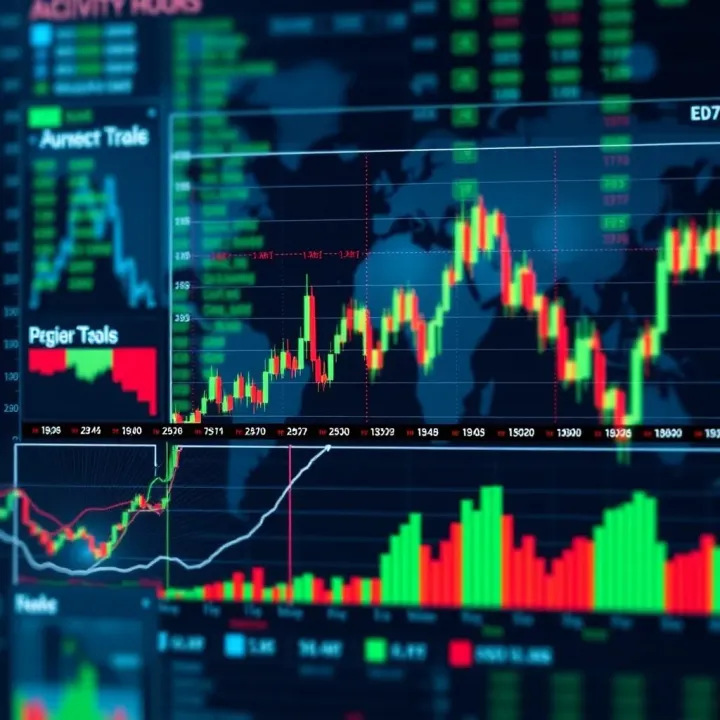
📈 Discover how Forex trading hours align with South African Standard Time, learn key factors affecting activity, and get tips to time trades smarter in SA.

📈 Learn how forex trading hours in South Africa align with global markets, key overlaps, liquidity peaks, and the impact of local holidays for smarter trades.
Based on 13 reviews