
How to Convert Hexadecimal to Binary Easily
Learn how to convert hexadecimal numbers to binary efficiently 🧮. Understand fundamentals, manual and programming methods, plus real-world uses in computing and electronics.
Edited By
Charlotte Price
Binary code lies at the heart of all modern computing. Behind every screen swipe, financial transaction, and data calculation sits a long string of zeros and ones. For traders, entrepreneurs, and analysts alike, understanding how to convert numbers from the decimal system to binary can offer a sharper grasp of technology and data processing.
The binary system uses only two digits—0 and 1—to represent values. This contrasts with the decimal system, which uses ten digits, 0 through 9. Each binary digit, or bit, corresponds to an increasing power of two, starting from the rightmost bit.

Mastering the conversion from decimal to binary isn’t just academic; it reveals how computers store and manipulate information efficiently.
Nearly every digital device operates using binary at its core. From your smartphone running financial apps to sophisticated trading algorithms, data is encoded and interpreted as binary.
Knowing how to convert decimal to binary helps you understand:
Data storage: File sizes and memory often align with binary units.
Networking: IP addresses and subnet masks use binary arithmetic.
Programming: Low-level coding involves binary operations for speed and precision.
In binary, each digit represents a power of two:
The rightmost bit is 2^0 (1)
Next bit to the left is 2^1 (2)
Then 2^2 (4), 2^3 (8), and so forth
For example, the decimal number 13 translates to binary by adding powers of two:
13 = 8 + 4 + 1
So binary digits at 8, 4, and 1 places are marked '1', others '0'
That is 1101 in binary
This foundation underpins the step-by-step method we will explore for converting any decimal number to its binary equivalent.
Understanding this process means you won’t just see binary as abstract zeros and ones but recognize the clear numeric logic beneath.
With this groundwork set, the next sections will show you how to convert numbers systematically using division and remainder techniques, offering practical examples aligned with real-world applications.
Grasping how the binary number system works is a solid first step when converting decimal numbers to binary. Binary underpins everything digital—computers, smartphones, and pretty much all tech gear in daily use rely on it. By understanding why binary differs from the decimal system we're used to, you can better appreciate how data is stored and manipulated inside devices.
The decimal system, which uses ten digits (0 to 9), is familiar to us because it matches how we count in everyday life. Binary, on the other hand, operates with just two digits: 0 and 1. This may seem limiting, but it’s surprisingly effective for computers. While decimal counts in powers of ten (ones, tens, hundreds), binary counts in powers of two (ones, twos, fours, eights, and so on).
For example, the decimal number 13 translates to binary as 1101—which equals 8 + 4 + 0 + 1. This difference isn’t just academic; it shapes how information gets encoded and decoded in computer systems.
Computers use binary because their hardware is based on electrical signals that are either off or on. These two clear states map neatly onto 0 and 1 with minimal risk of misinterpretation. This simplicity makes circuits more reliable and less prone to errors caused by electrical noise.
Imagine trying to measure an exact voltage level to represent ten different digits—it’s far more complex and error-prone than just checking if a signal is high or low. This is why, at their core, all computing devices “think” in binary.
A bit (short for binary digit) is the smallest unit of data in computing. It can hold a value of either 0 or 1. Bits are the building blocks of digital information, and groups of bits combine to represent more complex data.
Think of a bit like a light switch that can only be on or off. Just as multiple switches can create different lighting patterns in a room, multiple bits can represent a wide range of numbers or instructions.
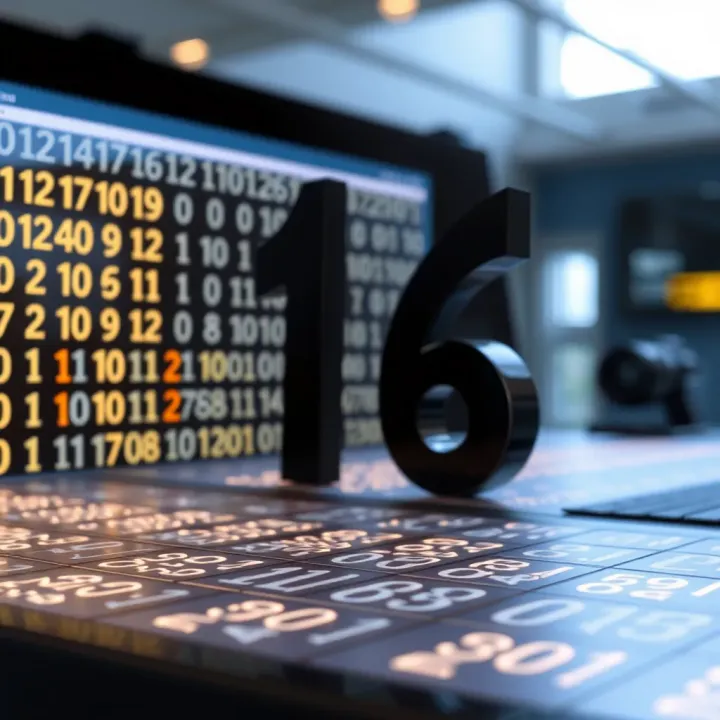
Each position in a binary number has a value based on powers of two, starting from the rightmost bit (least significant bit). For example, from right to left, the places represent 1, 2, 4, 8, 16, and so forth.
To read a binary number, you multiply each bit by its place value and add all the results:
Binary 1011 equals (1×8) + (0×4) + (1×2) + (1×1) = 8 + 0 + 2 + 1 = 11 decimal.
Understanding these place values makes converting between binary and decimal straightforward, which is essential for fields like software development, electronics engineering, and data analysis.
Mastering these basics allows traders and analysts who deal with digital data to understand how their tools operate beneath the surface, offering an edge in technological literacy.
Converting decimal numbers to binary is a fundamental skill for anyone handling computer data or digital systems. The simple method using division by two stands out because it's straightforward and works efficiently for numbers of any size. This approach breaks down the decimal number step by step, making the binary equivalent easier to understand and calculate manually or with basic tools.
The division-by-two method works by repeatedly dividing the decimal number by 2 and recording the remainder at each step. Since binary number system is base 2, each division tells you whether a place value holds a zero or a one. You start with the decimal number, divide it by 2, and note the remainder – either 0 or 1. Then, you use the quotient for the next division and repeat until the quotient is zero.
This method mirrors how many early computing devices converted numbers, making it a practical technique to learn. It also helps understand how positional values build up in binary, as each remainder corresponds to a binary digit, or bit.
The key to forming the binary number lies in how you read the remainders. The first remainder you get actually represents the least significant bit (LSB) in binary, and the last remainder will be the most significant bit (MSB). That means you have to read all the remainders from bottom to top to correctly write out the binary number.
This reversal of the remainder sequence can be a slight hurdle at first, but it clearly shows how binary numbers expand with increasing powers of two. It also brings to light the significance of bit positions in binary notation.
Let’s take decimal 13 as a simple example. Dividing 13 by 2, you get a quotient of 6 and a remainder of 1. Then divide 6 by 2, quotient 3, remainder 0. Next, 3 divided by 2 gives quotient 1, remainder 1. Finally, 1 divided by 2 results in quotient 0, remainder 1.
Writing the remainders from bottom to top, we get 1101. So, decimal 13 converts to binary 1101.
To check the conversion, expand the binary number according to place values:
(1 × 2³) + (1 × 2²) + (0 × 2¹) + (1 × 2º)
8 + 4 + 0 + 1 = 13
This confirms the binary representation is accurate. Verifying this way reinforces how each bit carries a specific power of two, which together recreate the original decimal number.
Understanding this method offers you both a practical tool for conversions and insights into how digital systems interpret numbers. It's especially useful for traders and analysts dealing with data stored or processed in binary formats, providing clarity behind the numbers they work with.
While dividing by two is the most common way to convert decimal numbers to binary, alternative methods offer valuable perspectives and can sometimes simplify the process depending on the context. These techniques are especially useful where quick mental calculations or particular breakdowns are required, such as in trading algorithms, coding firmware for devices, or when understanding hardware-level data representation.
The first step in this method involves pinpointing the largest power of two that fits into the decimal number. Powers of two are simply numbers like 1, 2, 4, 8, 16, 32, 64, and so forth, increasing by doubling each time. For example, to convert the decimal number 43, you start by noting that 32 (2^5) is the largest power of two less than or equal to 43.
Recognising this largest power helps you build the binary number by deciding which bits will be set to 1. Effectively, you’re mapping the number onto a series of on/off switches, where each switch corresponds to a power of two.
After marking the largest power of two, subtract it from your decimal number; what remains is then broken down similarly by finding the next largest power of two. Continuing the earlier example: 43 minus 32 leaves 11, then 8 (2^3) goes into 11, remainder 3, then 2 (2^1), and finally 1 (2^0). Other powers of two not used get binary ‘0’ bits.
This stepwise subtraction continues until the remainder is zero, resulting in a binary representation. The practical value here lies in its clarity for visual learners, or those programming indicators based on binary flags, as it directly relates to the binary place values.
This straightforward approach involves counting in binary, starting at zero and incrementing by one until you reach the target decimal number. It’s akin to counting on your fingers but using just two digits: 0 and 1. For instance, counting up to 5 would produce the sequence 0, 1, 10, 11, 100, 101.
This method is practical when learning the binary system's flow or confirming conversions on small numbers by hand. It's also useful for debugging or checking binary outputs in trading systems where bitwise operations are commonly used.
Though clear, counting upwards in binary is inefficient for large numbers. Reaching, say, 1,000 involves writing down or recognising hundreds of binary steps, which is impractical without software support. For analysts dealing with large datasets or algorithmic trading, alternatives like subtraction of powers of two or division by two are faster.
That said, for educational purposes or when dealing with smaller numbers—as may happen in encoding small flags or settings on devices—the increment method remains helpful. It builds intuition about binary progression and highlights how binary digits roll over, reminding users of the base-2 system’s workings.
Understanding multiple methods equips you to select the one best suited for your needs, improving both efficiency and comprehension when converting decimal numbers into binary.
Understanding the practical applications of binary numbers helps clarify why learning to convert and use them is valuable, especially in fields like trading, investing, and technology startups. Binary numbers form the backbone of digital computing and communications, where data processing hinges on this fundamental numeric system. By grasping how binary translates into real-world use, you better appreciate its impact on how information moves and is stored today.
Computers store virtually all information in binary form. Whether it's an Excel sheet on your laptop or large datasets on cloud servers, everything breaks down to bits—those tiny zeroes and ones. This simplicity allows computers to process complex calculations quickly and accurately. For traders and analysts, understanding binary conversion is handy when handling binary-coded data or algorithms that rely on precise numeric representation.
For example, when you execute a trade online, the system translates your input into binary to process it efficiently before updating your portfolio in real time. Even complex financial models rely on software that only reads binary, so misinterpretation could lead to errors or delays.
At the hardware level, binary controls the logic gates in electronic circuits. These gates manage operations based on binary inputs, deciding whether an output is on or off (1 or 0). This principle explains how CPUs perform millions of operations per second. Understanding logic gates’ role clarifies why binary is the natural language of electronic devices crucial in financial markets and business tools.
To put it simply, every decision a computer makes—such as validating a trade order or calculating risk parameters—depends on these gates working flawlessly with binary data. For entrepreneurs developing fintech solutions, this insight is vital when interfacing software with hardware to ensure efficiency and reliability.
Files you use daily, like documents, images, and videos, are saved in binary formats. Each format, such as PDF, JPEG, or MP4, has a specific way of encoding information into binary patterns. When you open a financial report or watch a product video on a South African e-commerce site like Takealot, your device decodes binary data behind the scenes to display it correctly.
Understanding this process helps in troubleshooting corrupted files or in scenarios like digital rights management, where recognising binary file structures plays a role. It also matters if you handle data encryption or compression, common in secure online transactions and data storage.
Networking relies heavily on binary numbers, especially in IP addressing. Internet Protocol (IP) addresses, used to identify devices on a network, are essentially binary numbers formatted into readable sets of decimal numbers. For instance, the IPv4 address 192.168.1.1 represents a 32-bit binary number divided into four octets.
For businesses and analysts working with network security or digital communications, understanding how these binary-based addresses function is vital. It aids in configuring firewalls, managing data flow, or diagnosing connectivity problems. In a local context, staff managing office networks or fintech platforms benefit from this knowledge to keep systems running smoothly.
Mastering binary isn’t just academic; it’s the foundation of how digital information moves and is secured. Whether you’re analysing market data, developing tech solutions, or managing IT infrastructure, binary plays a quiet but critical role every day.
Learn how to convert hexadecimal numbers to binary efficiently 🧮. Understand fundamentals, manual and programming methods, plus real-world uses in computing and electronics.
Learn how to convert decimal fractions to binary with clear steps, tips, and examples! Perfect for students and tech enthusiasts in South Africa 🧮💻

Learn how to convert words into binary step-by-step 🧑💻, explore encoding standards, practical tools, and programming tips for clear binary conversion.
🔢 Learn how to convert Gray code to binary with clear methods and examples. Understand its uses, challenges, and step-by-step conversion techniques.
Based on 5 reviews