
Choosing the Best Forex Trading App in South Africa
📈 Find the ideal forex trading app for South Africa! Compare features, costs, and security to match your trading needs with ease and confidence.
Edited By
George Mitchell
Trading forex on your PC comes with its own set of advantages, especially in a South African context where stable internet and multitasking are vital for success. Desktop apps generally offer more powerful tools than mobile versions — from advanced charting to multiple window setups — which can give you the edge when analysing volatile currency pairs like USD/ZAR.
Choosing the right forex trading app demands familiarity with its features, security standards, and how it fits the South African market. Local traders face specific challenges such as fluctuating exchange rates, occasional data costs, and sometimes intermittent internet speeds during Eskom loadshedding. So, your trading platform must be reliable and responsive.
Here’s what to keep an eye on when selecting your forex desktop app:
Robust charting tools: Look for customisable charts with real-time updates, multiple timeframes, and technical indicators suited to your trading style.
Order execution speed: Slow orders can cost dearly, especially in fast-moving markets. Choose an app known for quick and dependable trade execution.
Security measures: The app must protect your funds and data with encryption, two-factor authentication, and compliance with financial regulations.
User-friendly interface: Even experienced traders prefer clarity. Complicated layouts can slow you down when capitalising on fleeting chances.
Local support and payment options: Platforms that accept local payment methods and offer customer service during South African business hours reduce hassle.
When you start trading using a desktop app designed for your needs and locale, you reduce avoidable risks and focus more on making informed decisions.
Beyond these basics, consider how the app integrates with South African forex brokers and if it supports common payment methods such as EFT, credit cards, or even mobile wallets popular here. Testing a platform with demo accounts before committing real money lets you familiarise yourself without pressure.
To sum up, matching a forex trading app to your PC setup involves balancing powerful features, speed, security, and practicality within the constraints of South Africa’s unique trading environment. Getting this right lays the groundwork for smooth, successful trading ahead.
Using a forex trading app on your PC offers distinct advantages over mobile versions, especially if you're serious about trading or analysing the markets in depth. Desktop apps tend to deliver more powerful tools and a stable environment that suits the fast-paced nature of forex trading. For South African traders juggling local market specifics and global currency pairs, having these features at your fingertips can make a real difference.
Desktop platforms often come packed with options that mobile apps just can’t match due to screen size and processing limits. Things like advanced order types, comprehensive watchlists, or multiple account management are more practical on a PC. For example, if you trade with a broker like IG or HotForex, their desktop software allows finer control over trade execution and risk management features that are trimmed down on mobile.
Traders thrive on reading price action and indicators, and desktop apps usually offer a wider selection of chart styles, timeframes, and technical indicators. This makes spotting trends or reversals easier, improving decision-making. Imagine setting up several detailed charts side by side with different indicators on MT4 or MT5; that’s tough to replicate on a small screen without constant scrolling.
One of the biggest advantages of desktop trading is reliable internet and multitasking ability. Your PC often connects to a steadier broadband than mobile data, reducing chances of disruption during critical trades. Plus, multitasking lets you keep an eye on more than just price charts — like news feeds, economic calendars, and your portfolio — all at once.
South African traders frequently use platforms like MetaTrader 4/5, IG, and Plus500 due to their local broker support and regulatory compliance. These platforms cater well to both beginners and experts, providing flexible trading options and adherence to the Financial Sector Conduct Authority (FSCA) regulations. Choosing a platform popular locally means better community support and easier access to localised resources.
The FSCA strictly regulates forex brokers operating in South Africa to protect traders from fraudulent schemes. This means only brokers registered with FSCA should be considered, ensuring your deposits are safer. Some traders overlook this and risk losing capital to unregulated overseas operators, so staying on top of local regulations is vital.
Because the Rand (ZAR) is often volatile, South African traders monitor how global events affect its strength. Forex markets operate 24/5 worldwide, but South Africa’s local trading hours typically peak during overlap with London and New York sessions. Understanding when these windows open helps traders optimise their time on the platform, balancing global market moves with local forex demand.
Trading forex on a PC isn't just about convenience — it's about having the right tools and reliable connections to navigate complex markets, especially when local factors come into play. The desktop environment helps you stay agile and informed as you make your trading decisions.
Choosing the right forex trading app for your PC goes beyond just picking a reputable brand. The app's features can significantly influence your trading efficiency and decision-making. South African traders, in particular, should focus on aspects such as user interface, trading tools, order execution, and security. These factors not only enhance your trading experience but can also protect your investments and help manage risks in a market affected by local economic shifts and exchange rate volatility.

Ease of navigation is crucial for quick and effective trading decisions. A cluttered or confusing interface can slow you down, leading to missed opportunities. For example, a well-organised dashboard where you can access currency pairs, charts, and trade execution all within a few clicks saves valuable time. Easy navigation means you won't need to dig through menus or open multiple windows just to check the status of your trades or market trends.
Personalising workspace for efficiency allows you to tailor the app to your trading style. Some traders prefer multiple chart windows with different timeframes, while others focus on a single pair but with several technical indicators. A platform that lets you drag and drop widgets, save layouts, or set shortcuts improves your workflow and helps you spot market changes faster. For instance, setting a workspace where your favourite pairs, alerts, and newsfeed are all visible at once can speed up your reaction time.
Availability of charting options plays a key role in technical analysis. Having access to a variety of chart types—like candlestick, line, and bar charts—helps you interpret price movements better. More importantly, the ability to switch quickly between different timeframes supports both short-term scalping and longer-term trading strategies. Consider a platform that offers zooming, drawing tools, and customisable chart colours to suit your preferences.
Built-in analysis tools are practical for traders who want to avoid juggling multiple software for insights. These can include trend lines, Fibonacci retracements, moving averages, and RSI (Relative Strength Index). Such tools enrich your understanding of market momentum and potential reversal points without needing extra applications. Using an app where these indicators integrate seamlessly with your live charts saves time and reduces errors.
Market, limit, and stop orders support is essential for executing trades according to your strategy. Market orders let you buy or sell instantly at the current price, which is handy during fast-moving sessions. Limit orders allow you to set a desired entry or exit price, avoiding slippage, while stop orders help protect profits or limit losses automatically. Having these order types neatly accessible in your app ensures you can act swiftly under different market conditions.
Impact on trading performance depends heavily on how fast your orders execute. Slow or delayed execution can cause you to enter or exit trades at unfavourable prices, especially during volatile times. South African traders might face connectivity challenges, so opting for a platform with low latency and reliable servers—preferably located nearby or with strong global infrastructure—will provide more consistent performance and better fills.
Encryption standards protect your sensitive data from hacking and unauthorised access. Look for apps that use strong encryption protocols like AES-256, which safeguard your login details and transaction information during transmission. This is particularly important when trading large positions or using leveraged accounts where the stakes are higher.
Two-factor authentication (2FA) and account safety add an extra layer of defence beyond passwords. With 2FA, you’ll need to verify your identity through a code sent to your mobile device or email each time you log in. This reduces the risk of unauthorised access even if your password is compromised. In the South African context, where cybercrime is on the rise, ensuring your trading platform supports and encourages 2FA is a must.
A forex trading app that combines a user-friendly interface, powerful tools, rapid order execution, and solid security measures gives you the best shot at succeeding in the market. Don't settle for less when your financial future depends on split-second decisions.
Downloading and installing a forex trading app on your PC might seem straightforward, but it’s crucial to do this safely and correctly. Faulty or unofficial software can expose your device to malware or compromise your personal data. Ensuring you get the genuine app from trusted sources protects your trading funds and personal information. Plus, proper installation guarantees the app runs smoothly with all features functioning as expected.
Using official websites and app stores is your first line of defence against fraud. Always download your trading app directly from the broker’s official website or a reputable platform like the Microsoft Store or Mac App Store. This way, you avoid dodgy third-party sites that might offer tampered versions of the software. For instance, if you’re using MetaTrader 4 by a firm operating in South Africa, getting it straight from the broker’s site or the authorised app store ensures you’re not exposing yourself to counterfeit apps.
Checking user reviews and ratings can reveal app reliability and user satisfaction before you commit. Look for patterns in feedback — repeated complaints about bugs, crashes, or poor customer service should raise red flags. However, note some reviews can be fake or biased, so cross-check across multiple platforms if possible. For South African traders, reviews might also mention how well the app handles rand-to-dollar conversions or supports local brokers, which is especially handy information.
Compatibility with Windows and MacOS is vital to prevent installation errors. Most popular forex apps cater to both systems, but not all features work identically across platforms. Before downloading, verify the app supports your operating system version — Windows 10 or higher, macOS 10.14 or later, for example. Some brokers provide detailed specs for their apps; if you’re using Ubuntu Linux or an older OS, you might need extra steps or alternatives.
Minimum hardware and software needed impact your trading experience. Even if you get the app installed, a slow processor or insufficient RAM can cause software lag that’s the last thing you want when reacting to price moves. Generally, a PC with at least 4GB RAM, dual-core processor, and 2GB free storage suffices for most desktop forex platforms. Also, keep your operating system up to date to maintain security and compatibility with the app.
Setting automatic updates on your platform ensures you benefit from the latest security patches and new features without manual intervention. With forex trading, timing matters — sudden software issues can cause lost opportunities. Most apps offer an option to download and install updates silently in the background, minimising disruptions. For example, MT4 and MT5 regularly release updates that fix bugs which could otherwise slow down or crash your system.
Regular backups and troubleshooting are part of good trading hygiene. Save your custom indicators, chart templates, and trade history frequently. In case of software glitches or corruption, having backups saves you from losing valuable data. If the app freezes or disconnects, simple steps like restarting the software, checking your internet connection, or reinstalling the app can often resolve the problem.
Staying vigilant about how and where you download your forex trading app protects both your gear and your investment. It’s worth taking the time to get these basics right — especially when trading with real capital involved in fast-moving markets.
Remember, a solid install and update routine means less downtime and stress, leaving you free to focus on what matters: making smart, informed trades.
Starting your forex trading journey on a PC offers a more organised and efficient workspace compared to mobile screens. This section sets out the vital first steps to help you trade confidently, from setting up your account to managing trades effectively. Being familiar with these basics can save you from costly mistakes, especially in the fast-moving forex market.
Opening an account with a regulated broker is the first practical move in forex trading. In South Africa, brokers should be authorised by the Financial Sector Conduct Authority (FSCA) to safeguard your money and ensure fair trading conditions. For instance, using brokers like IG or EasyEquities ensures you’re working within regulated boundaries, reducing the risk of scams or unethical practices.
Once your account is set up, connecting it to your desktop platform usually involves entering your login details directly into the app. This step enables real-time access to your trading balance, open positions, and order executions. Most apps will also require you to set up two-factor authentication here for an extra layer of security. This connection smoothens trade executions and keeps your trading status synced across devices.
Leverage and margin form the backbone of forex trading but must be understood clearly to avoid unnecessary losses. Leverage allows you to control a large position with a small deposit, amplifying both gains and losses. For example, a 1:100 leverage means a R100 deposit controls R10,000 in the market—while profitable trades can be rewarding, the opposite also holds true.
Using stop losses is a crucial risk management tool that helps protect your capital. Setting a stop loss means automatically closing a trade once it hits a certain loss level, preventing further adverse moves. For example, if a currency pair drops below a pre-set price, the app exits the position, shielding you from deeper losses. This discipline prevents emotional decision-making during volatile market swings.
Live charts and alerts turn your trading platform into a dynamic tool. They help monitor price action and highlight when certain conditions are met, such as a breakout or reversal. For instance, you can set alerts for key support or resistance levels relevant to the South African rand pairs, which saves you from staring at the screen all day.
Keeping a record of your trades and routinely reviewing performance is often overlooked but vital for improvement. Most desktop apps allow exporting trade history and performance reports. Reviewing these can uncover patterns in your strategy—like spotting if you tend to hold losing trades too long. This reflection ultimately sharpens your trading edge over time.
Getting started properly sets the foundation for consistent trading. Taking the time to open a regulated broker account, understand leverage, and use the app’s analysis tools will help you trade smarter in Mzansi’s unique forex market.
Forex trading apps on PC are powerful tools, but they come with some hurdles that every trader should be ready to handle. From technical glitches to the sneaky trap of emotional decision-making, knowing these challenges and how to respond can save your trade and your sanity. This section looks at common issues and practical ways South African traders can manage them for a smoother trading experience.
Slow internet or unexpected downtime can kill a trade, especially in volatile markets where timing is key. In South Africa, internet speeds can vary depending on your provider and location, making it crucial to have a backup plan. For example, keeping a mobile data connection handy with providers like Vodacom or MTN can help you stay connected if your home fibre goes down during crucial moments.
Software crashes are another headache. These can happen due to outdated apps, incompatible system updates, or overloaded devices. To avoid losing vital trades or data, regularly update your forex trading platform and operating system. Also, close unnecessary apps to free up memory and ensure your PC meets the platform’s minimum requirements. If a crash does occur, most platforms offer auto-recovery or allow you to restore your last session, which helps you get back on your feet quickly.
Apps can send alerts for price moves or news updates, which can either keep you disciplined or push you into emotional trades. Setting up smart alerts helps you focus on signals that matter instead of chasing every market twitch. For instance, you might programme alerts for key support and resistance levels on pairs like USD/ZAR, so you only act when your strategy says so, not just out of panic or greed.
Overtrading often comes from unrealistic expectations or trying to recoup losses too fast. Defining clear, achievable trading goals is vital to stay grounded. Set limits on the number of trades per day and risk per trade—perhaps not risking more than 1-2% of your account on any single position. This approach keeps losses manageable and helps you build a trading rhythm without burning out or chasing the markets irrationally.
Discipline and technical readiness are just as important as knowledge when it comes to forex trading. Addressing these common challenges head-on equips you to trade smarter and safer on your PC platform.
Using a forex trading app on your PC gives you a solid base, but combining it with other tools can make a big difference. Alternative devices and software provide flexibility and deeper insights, allowing you to react faster and trade smarter. Especially in South Africa, where internet reliability varies and market conditions can shift, having these extras can be a lifesaver.
Being tied to your desk all day isn't always practical, especially for traders who need to keep an eye on the market outside business hours. Mobile trading apps let you manage trades wherever you are. Whether waiting in traffic or at a café, you can set stop losses, check open positions, or enter new trades on the fly. Apps from brokers like IG or AvaTrade sync with their desktop platforms, ensuring you don’t miss an important move just because you’re away from your PC.
The real benefit comes when mobile and PC versions synchronise seamlessly. Suppose you analyse charts on your PC over breakfast but have to rush out afterwards — your open positions, alerts, and workspaces carry over to your mobile. This means no double handling or confusion. Instant updates on price changes or news alerts push straight to your mobile, empowering you to act quickly even when offline from your main workstation.
An economic calendar is one of the most practical tools to have alongside your trading app. It lists upcoming economic data releases, central banker speeches, or local market events that could shake the forex market. For example, knowing the SARB (South African Reserve Bank) interest rate announcement dates ahead of time helps you plan trades around likely volatility. Many economic calendars allow you to filter events by country or impact level, so you focus only on what really matters to your trading strategy.
Forex news aggregators gather market updates and expert commentary from multiple sources. They let you catch trends, like unexpected political developments or major movements in the USD/ZAR pair, without scouring numerous websites. Reliable aggregators often include real-time headlines and analysis from providers like Bloomberg or Reuters. Hooking these up alongside your main platform means you’re not flying blind and can make timely, informed decisions.
Combining your PC trading app with mobile management and specialised software sharpens your market edge — keeping you connected, informed, and ready for sudden shifts even when you’re on the move.
Together, these alternatives and tools create a fuller, more adaptable trading setup. Even if you start with a solid desktop platform, layering in these complementary elements lets you trade with more confidence and control in the ever-changing forex environment.
📈 Find the ideal forex trading app for South Africa! Compare features, costs, and security to match your trading needs with ease and confidence.
📊 Discover the best forex trading software for South African traders! Learn about types, key features, security, costs & automation to boost your strategy.
📊 Discover how to choose the right forex trading software in South Africa! Learn key features, types, and tips to boost your trading success effectively.
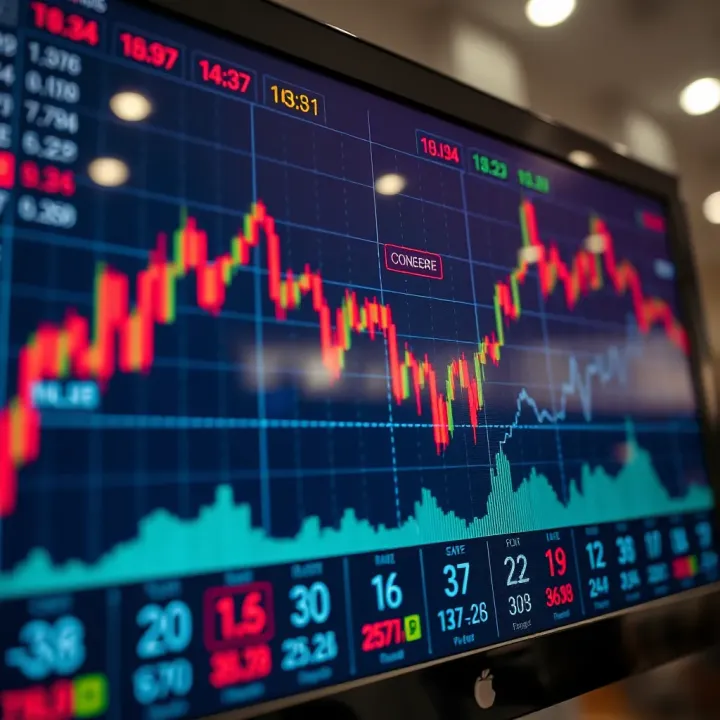
📈 Explore how forex trading may evolve amid tech shifts, regulations, and market trends in South Africa and beyond. Will it stand the test of time? 🌍
Based on 6 reviews